

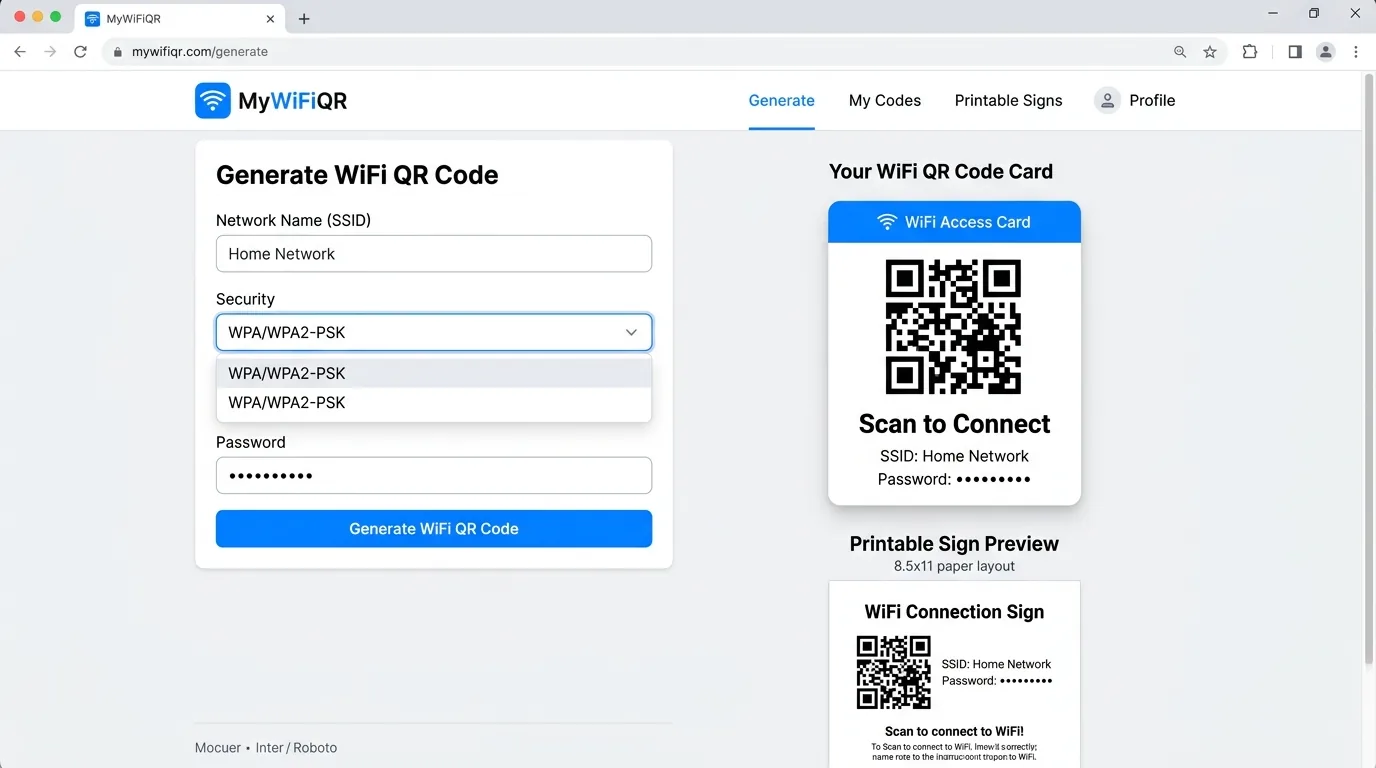
How Does a WiFi QR Code Work?
Behind every WiFi QR code is a plaintext string following the open-source ZXing WiFi URI standard. When you generate a code on WiFiQR Tool, your network settings are organized into this standardized syntax:
nopass).
true if the router does not broadcast its SSID publicly.
When the camera software detects this payload, the operating system's native Wi-Fi manager prompts the user to join the network immediately, bypassing keyboard entry.
Key Benefits of Using a WiFi QR Code
Zero Typo Errors
Long, high-security passwords with upper and lowercase letters, numbers, and symbols are frequently mistyped. QR codes transmit the exact characters error-free.
No App Downloads Needed
Because modern Apple iOS and Android operating systems have built-in QR readers in their native camera apps, guests do not need to install third-party apps.
Protect Complex Passwords
Network administrators can use strong 30+ character random passphrases without worrying about guests struggling to transcribe them.
Professional Table Signage
Businesses, vacation rentals, and offices can print neat tabletop cards or framed signs instead of writing credentials on scrap paper or dry-erase boards.
Security and Privacy Considerations
While WiFi QR codes provide unmatched convenience, it is important to understand their security properties:
- Credentials are stored as plain text inside the barcode: Any standard barcode reader can decode the raw text. Never display a QR code with your primary administrative password in an unsecured public location.
- Use an isolated Guest Network: The best security practice is generating a WiFi QR code specifically for your router's guest VLAN. This isolates visiting devices from your home computers, smart TVs, and NAS devices.
- Ensure Client-Side Generation: Many generic generator websites transmit your password to remote cloud servers. WiFiQR Tool operates 100% locally in your web browser, ensuring zero server data storage.
Real-World Applications
Airbnb & Short-Term Rentals
Laminated table cards on nightstands ensure arriving travelers connect instantly without messaging the host.
Restaurants & Coffee Shops
Table tents and counter plaques minimize staff interruptions and customer wait times during peak hours.
Modern Smart Homes
A clean fridge magnet allows visiting friends and family to join guest Wi-Fi in one simple scan.
Frequently Asked Questions
What is a WiFi QR code?
A WiFi QR code is a two-dimensional barcode containing wireless network connection credentials—specifically the SSID (network name), encryption protocol (such as WPA2 or WPA3), and password—encoded in a standardized format. When scanned by a smartphone camera, the device automatically configures its Wi-Fi settings and connects to the network without requiring manual password entry.
Can any smartphone scan a WiFi QR code?
Yes, modern smartphones running Apple iOS 11+ or Google Android 10+ have native camera support for WiFi QR codes. Users simply point their default camera lens at the code and tap the 'Join Network' prompt.
Do WiFi QR codes work without an internet connection?
Yes. The QR code itself is an offline physical medium containing raw text data. The phone reads the text directly through its camera sensor and passes it to the local Wi-Fi chipset, requiring no internet connectivity to decode.
Create Your Free WiFi QR Code Today
Generate high-resolution PNG, vector SVG, and printable table signs in seconds. 100% private, client-side, and no registration required.